HeyGen AI
Key Roles & Responsibility:
- Researched and evaluated the HeyGen AI platform. Created AI-generated educational presentation videos.
- Created AI-generated educational presentation videos.
- Designed and refined presentation slides and visuals.
- Generated AI voiceovers, avatars, and subtitles.
- Sourced and verified educational and medical reference materials.
- Edited and enhanced videos using Adobe Premiere Pro.
- Synchronized narration, visuals, captions, and animations.
- Managed revisions and updated content based on feedback.
- Ensured video quality, accuracy, and audience engagement.
- Met project deadlines while adapting to changing requirements.
LEARNING JOURNEY:
An ongoing project with a continuously evolving scope. This section documents the work I have completed so far. I have been involved in creating AI-generated educational videos, including developing presentation slides, generating AI avatars, refining visual content and integrating scripted narration into structured video presentations.
As part of the workflow, I also independently researched and sourced relevant visual and educational materials when resources were not immediately provided. This documentation reflects my current contributions and ongoing development within the project.
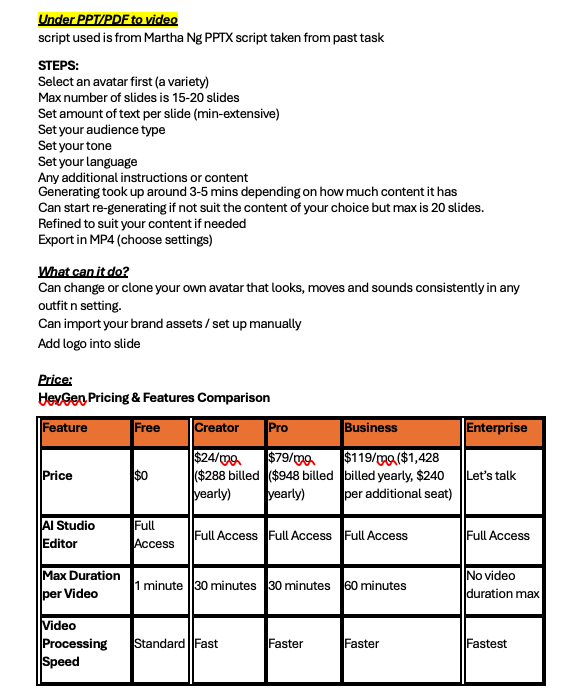
During my internship, one of the projects I was tasked with was researching and experimenting with the use of HeyGen for educational content creation. This experience allowed me to better understand how artificial intelligence can be used in media production and how AI tools may support educators in creating presentation-style videos more efficiently.
The project first began as a research assignment where I had to explore how HeyGen works, its available features, and the advantages and disadvantages of using the platform. I found the software particularly interesting because of its ability to generate presentation videos and slides simply from a provided script. Instead of manually recording voiceovers, editing footage, or creating animations from scratch, the AI platform could automate much of the process by generating slides, narration, and virtual presenters within the same system.
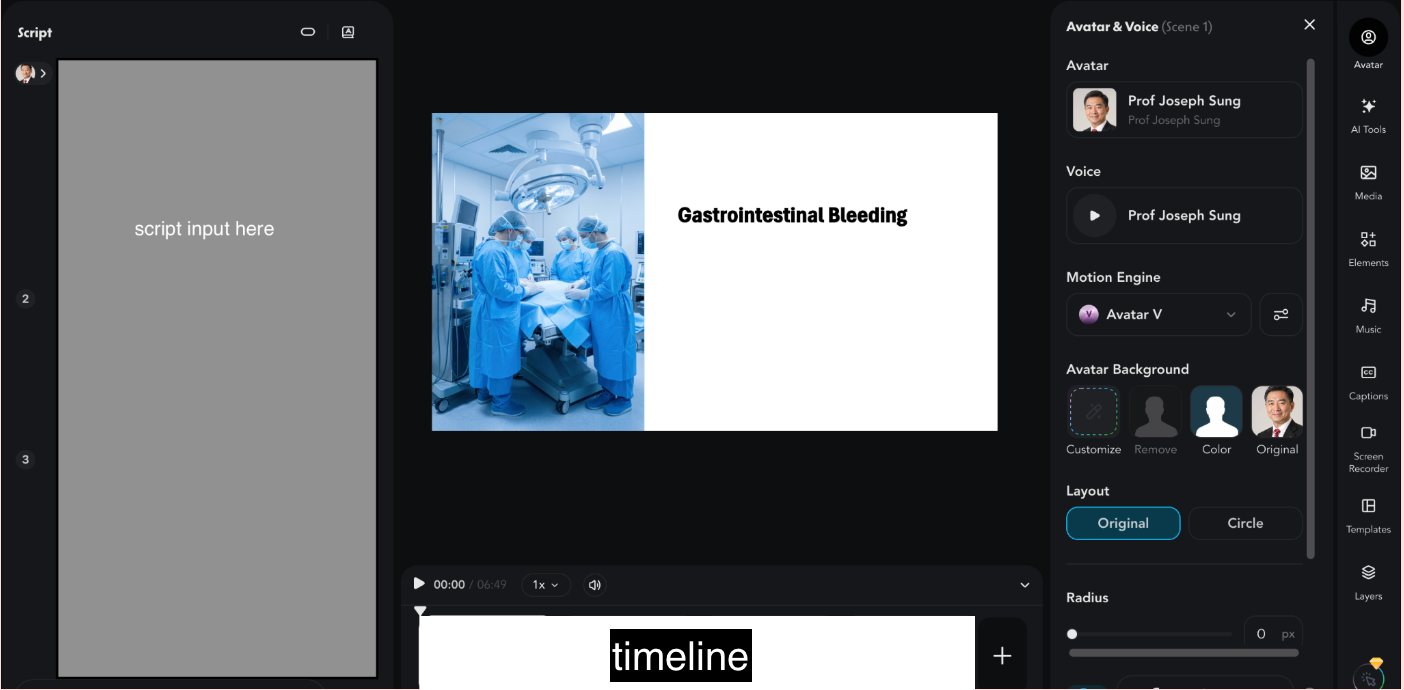
As I researched deeper into the platform, I learned that HeyGen allows users to create AI-generated presenters, voiceovers, subtitles, and presentation videos using scripts as the main input. Users can select avatars, customize voices, and generate videos automatically. One feature that stood out to me was how beginner-friendly the platform was, especially for users with little experience in professional video editing. The workflow was relatively straightforward compared to traditional editing software.
However, while the AI platform appeared highly efficient at first glance, I soon discovered that producing a polished educational video still required significant manual effort. One of the major limitations I encountered was that HeyGen could only export the final presentation as an MP4 video instead of an editable PowerPoint (PPTX) file. Although the platform could generate slide-based content, users were unable to further edit the slides externally once exported. This reduced flexibility, especially for educational projects where lecturers or stakeholders may require additional modifications afterwards.
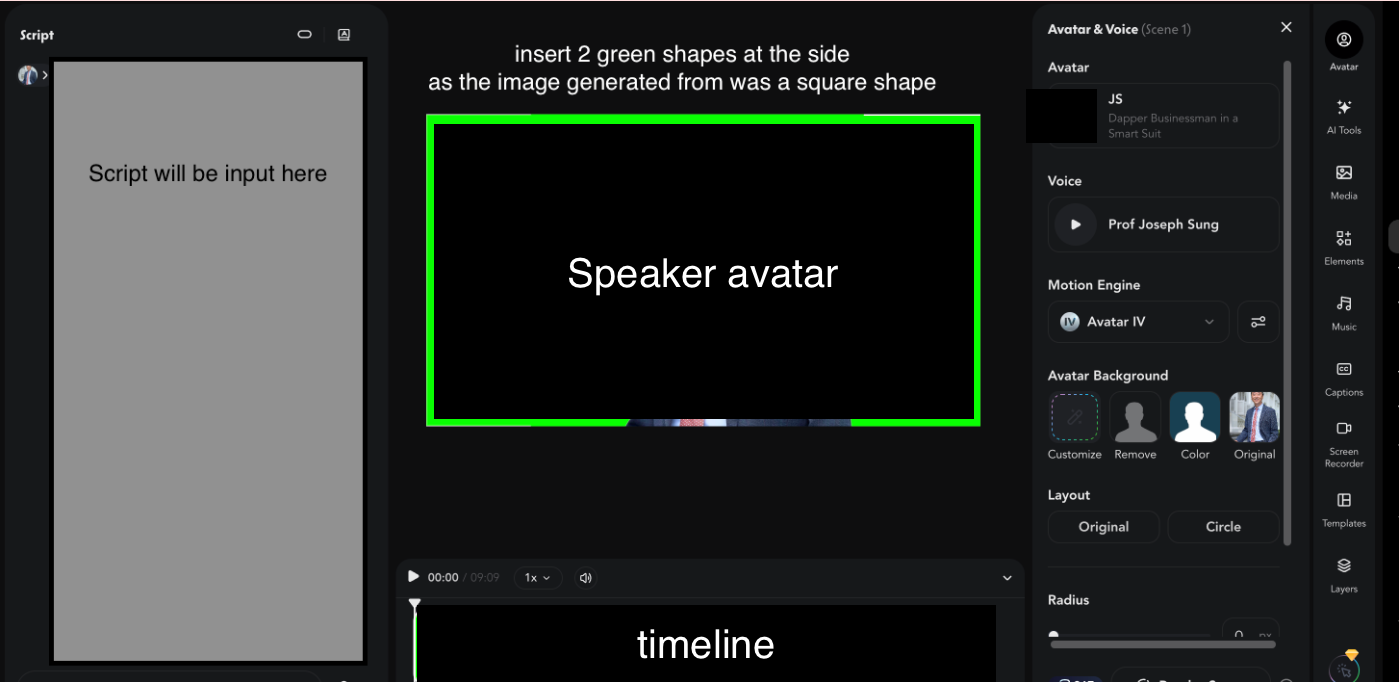
During Week 6 of my internship, I volunteered to take on a task involving the actual production of an educational video entirely using HeyGen. I was provided with a script and instructed to generate the entire presentation and speaker within the AI platform itself. Initially, I found the task extremely challenging because I had never worked with AI-generated presentation software before.
One of the first difficulties I faced involved the use of an AI presenter. I initially attempted to clone Professor Joseph YJ Sung as the speaker for the video. However, because he is a public figure, the platform required official approval before allowing facial or voice cloning. Due to these restrictions, I had to find an alternative solution by using only a still image of him within the presentation slides instead of generating a fully animated AI presenter. This experience helped me better understand the ethical and legal considerations surrounding AI-generated media and identity usage.
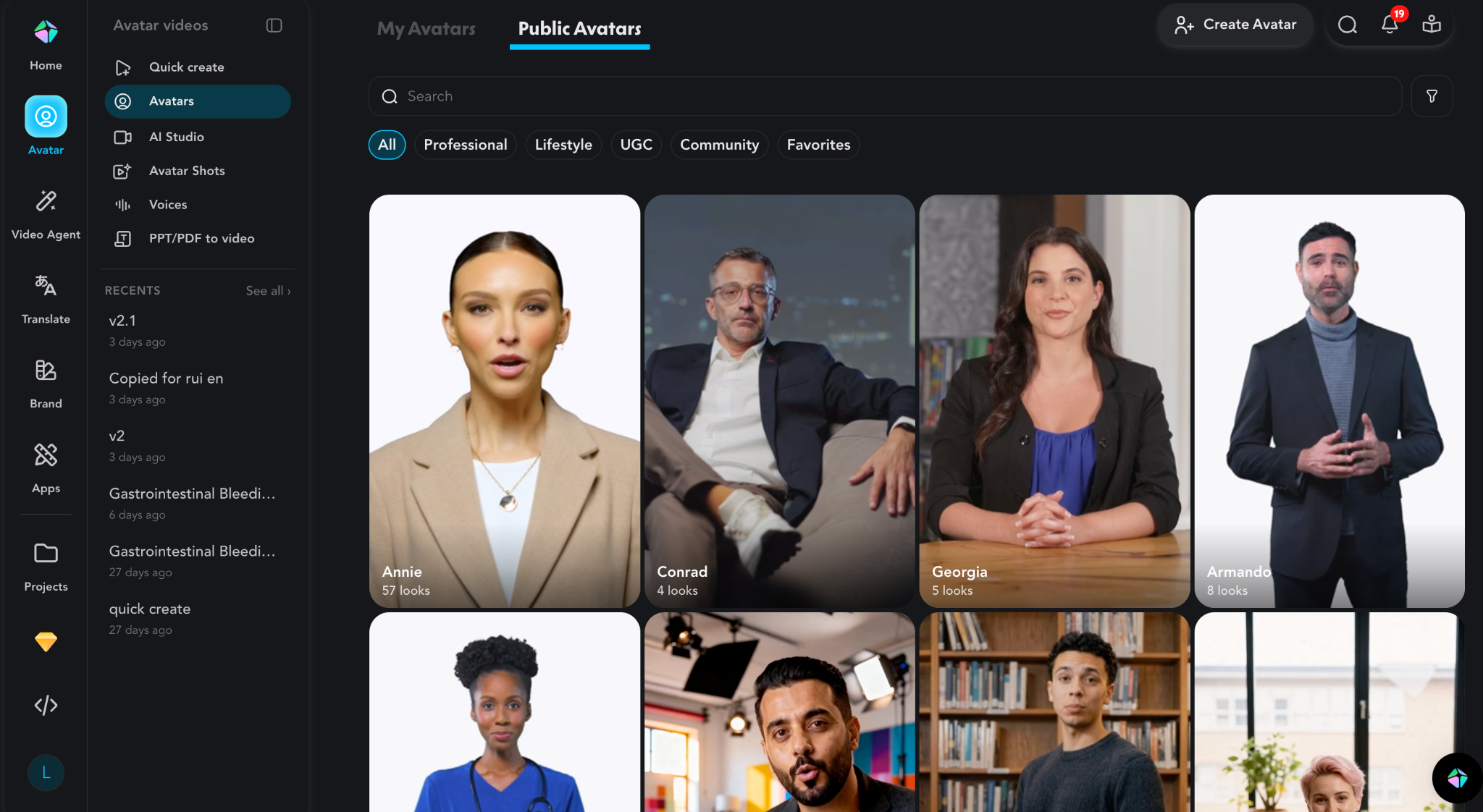
As I continued experimenting with the platform, I realized that AI-generated content was not always perfectly accurate or synchronized. Although HeyGen could automatically generate narration and visuals, there were many instances where the generated voice did not match the slide content naturally. Certain sections also lacked proper pacing, making the educational content feel less engaging. Because of this, I had to manually adjust slide arrangements, timing, and animations to improve the overall viewing experience.
The project also required me to conduct more in-depth research on the platform’s capabilities. I explored different tools and features available within HeyGen and discovered that the platform includes functions such as AI avatars, voice cloning, subtitle generation, script-to-video conversion, and automatic scene generation. While these features significantly reduce production time, I found that each tool also came with its own limitations. For example, AI-generated voices sometimes sounded unnatural, while generated visuals occasionally lacked the precision needed for educational topics.
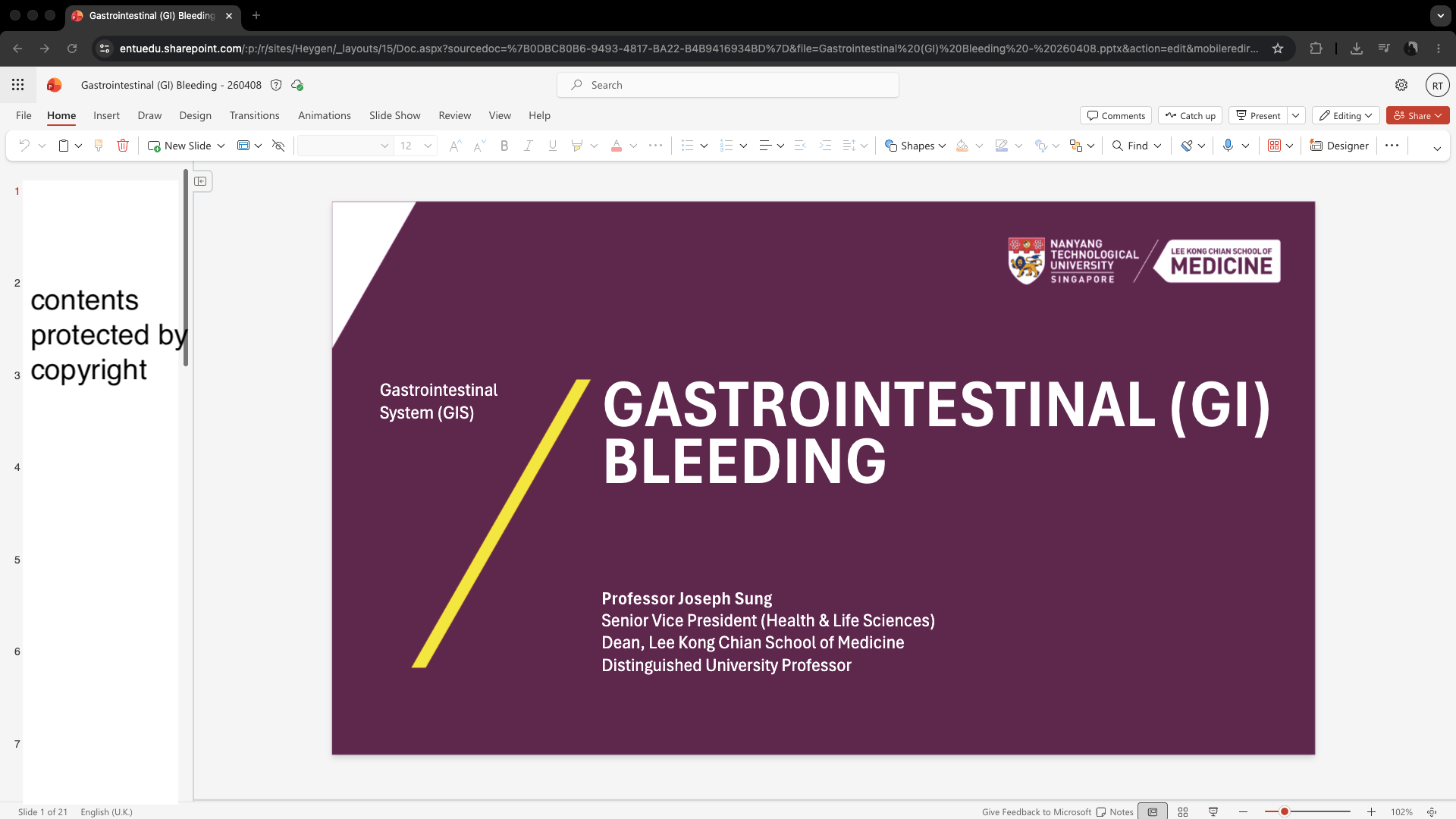
Another challenge I encountered was balancing creativity with clarity. Since the project involved educational content, I had to carefully consider how the slides, animations, and transitions would affect audience understanding. Many of the provided lecture slides were text-heavy, so I had to think critically about how to make the content visually engaging without overwhelming viewers. This involved adding visual elements, adjusting layouts, and highlighting key points whenever the speaker was discussing important information.
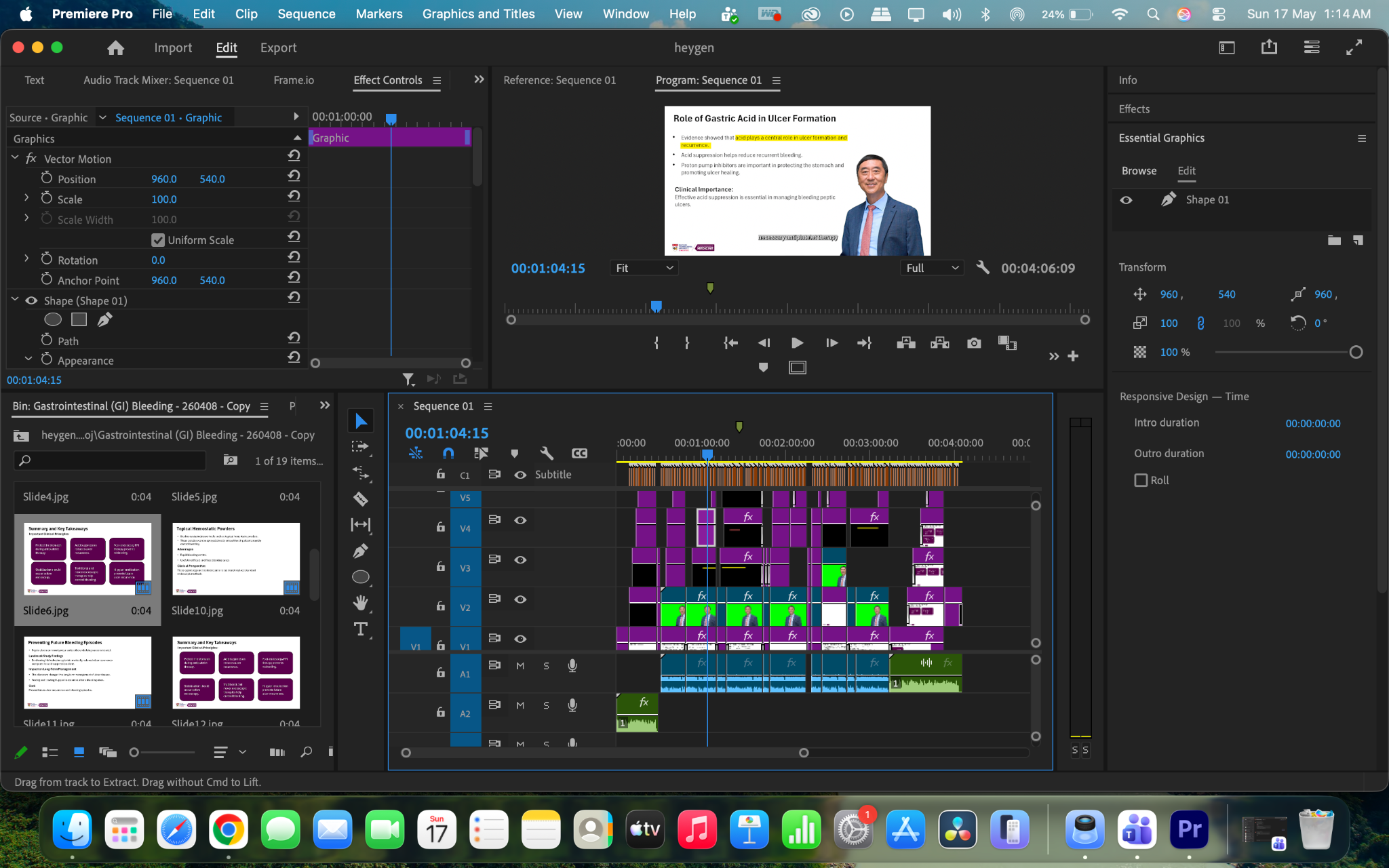
Although the presentation and initial video generation were done using HeyGen, the final production still required substantial manual editing in Adobe Premiere Pro. After exporting the AI-generated video, I had to further refine the pacing, synchronize visuals more accurately with the narration, add captions, insert additional animations, and improve transitions to make the final educational video more polished and engaging. This showed me that while AI tools can assist greatly in speeding up content creation, professional editing software and human input are still essential to achieving a higher-quality final product.
One of the most demanding parts of the project occurred when updated PowerPoint slides and scripts were later provided. This meant that I had to recreate a new version of the HeyGen presentation from scratch within a very short timeline. The process required me to redesign slide layouts, refine animations, synchronize narration again, and ensure the updated content remained visually engaging. Completing a nine-minute educational lecture video within only three days was stressful, but it taught me how to work efficiently under pressure while managing revisions and stakeholder expectations.
Throughout the project, I became more aware of both the strengths and weaknesses of AI-generated media tools. One major advantage of HeyGen is its ability to simplify and speed up content production. Tasks that would normally require recording equipment, presenters, voice actors, and editing software could instead be completed within a single AI platform. This makes the technology highly useful for creating quick educational videos, training materials, or presentation content.
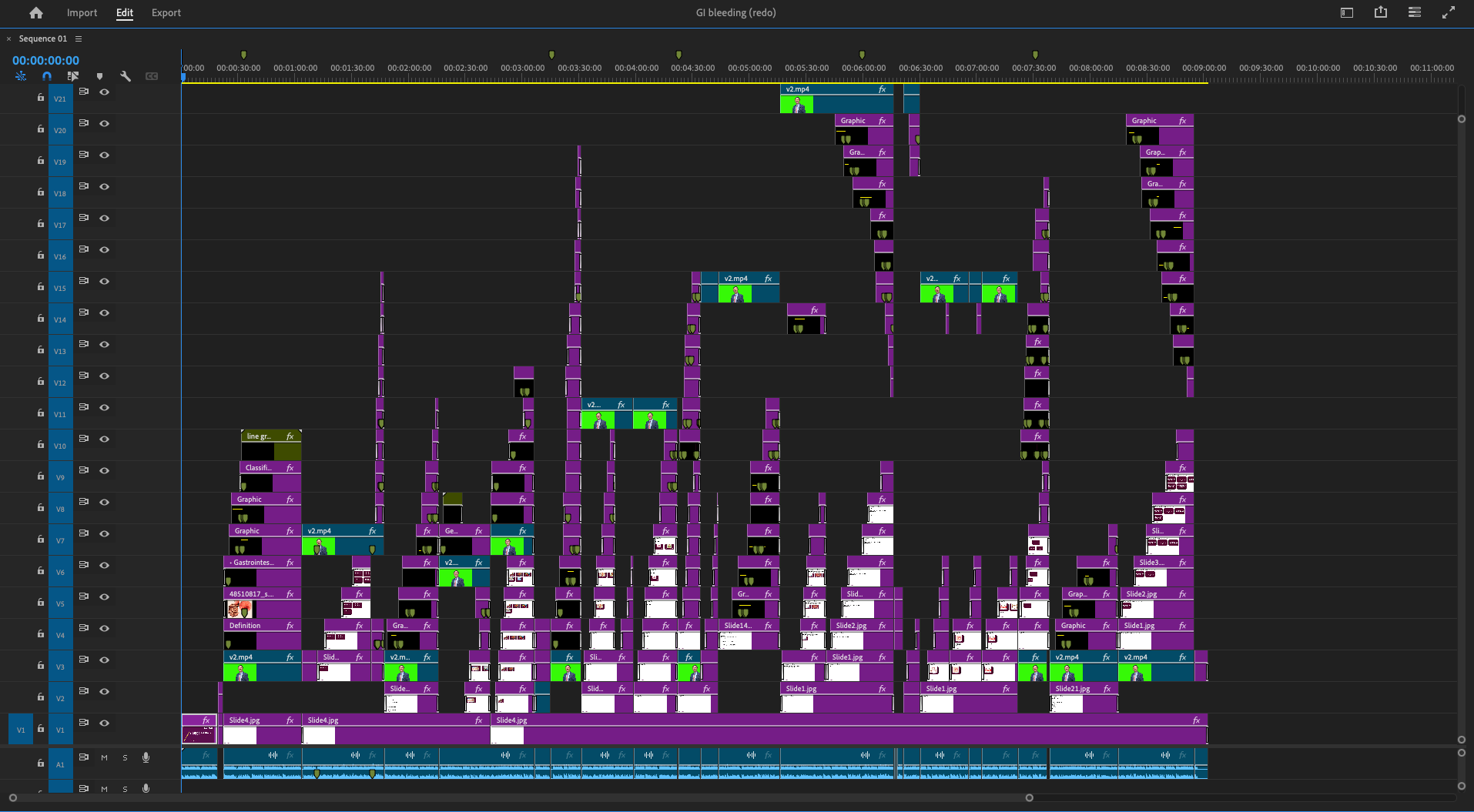
At the same time, I also learned that AI tools cannot fully replace human creativity and judgment. Although HeyGen can automate video generation, the quality of the final product still depends on the user’s ability to refine content, organise visuals, and ensure information is clearly presented. Many aspects still required manual editing, critical thinking and creative decision-making to make the video suitable for educational purposes.
In line with this, I refined the GI bleeding video for Dean by removing subtitles and highlights, as well as adding relevant images, videos, references, and other supporting elements. However, the required resources had not been provided at that point. Dr Ng, my boss, instructed me not to wait and to begin working independently by researching and identifying suitable content to include in the video. I then further refined the video based on his instructions, making adjustments and improvements as additional guidance was given throughout the process.
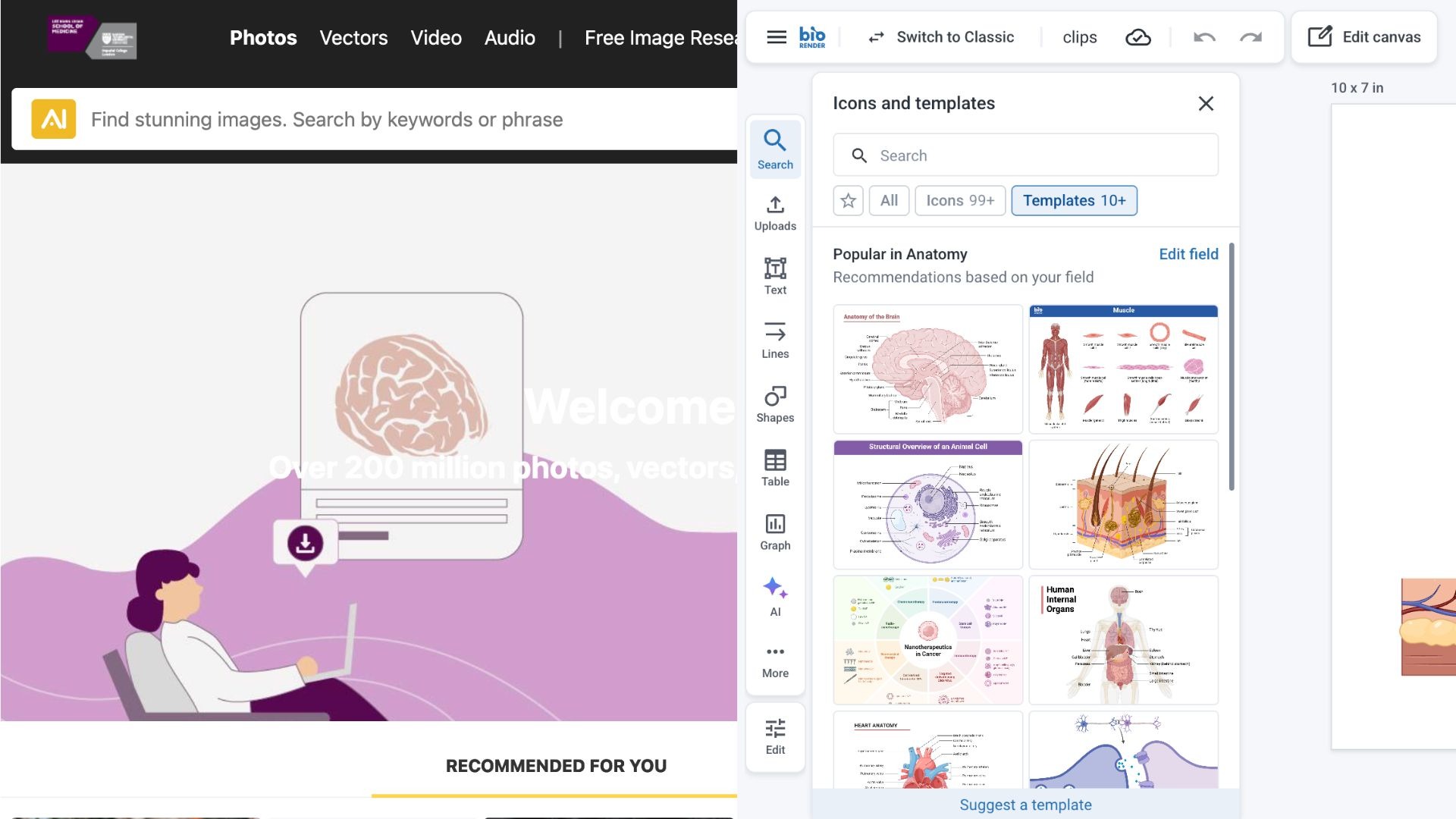
During the refinement process, I encountered difficulties understanding certain medical terms and procedures. The content slides provided contained no visual references, requiring me to conduct independent research to source or create appropriate images from scratch. I used tools such as 123RF and BioRender to obtain relevant medical visuals, but not all sources were immediately reliable or factual. As a result, I cross checked the information using Google and AI-assisted search tools to verify accuracy before including them in the video. After gathering and validating the materials, I incorporated them into the project and re-edited the video using Adobe Premiere Pro.
Overall, my experience using HeyGen provided valuable insight into the role of artificial intelligence in education and media production. The project strengthened my ability to adapt to unfamiliar tools, conduct independent research, and apply critical thinking in content creation. It also reinforced that while AI improves efficiency, human input remains essential for ensuring quality, accuracy and clarity in educational content.
Animations in Video
This video is a compilation of selected animations and motion graphics I created for a HeyGen project. It is a pre-edited showcase highlighting my work throughout the 11-minute video. There is no audio, as the focus is on demonstrating the visual animations and editing completed in Adobe Premiere Pro.
Post a comment